An enhanced 12d Model experience
Introducing infrADAC DCAD.
Build on the ADAC XML capability already available in 12d Model with a more complete set of tools for setup, authoring, review and delivery.

A more complete 12d Model workflow
Work through each stage of an ADAC project with connected tools that support the design already in your model.
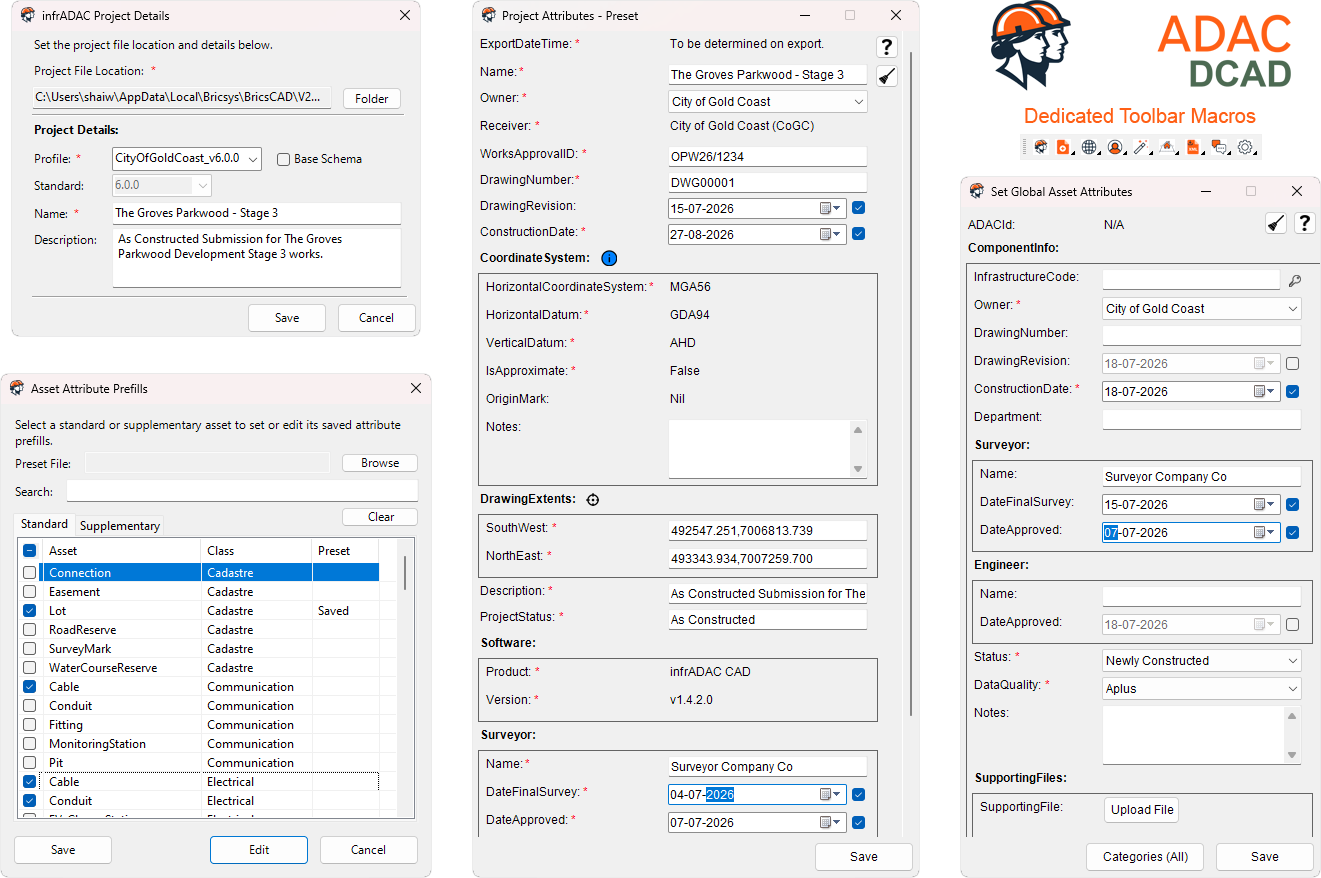
Set up projects with less repetition
Apply project details, project attributes and global asset values through guided forms. Reusable prefills help teams carry common information between projects without entering it again.
- Receiver and schema selection
- Project and global attribute prefills
- Consistent information across the project
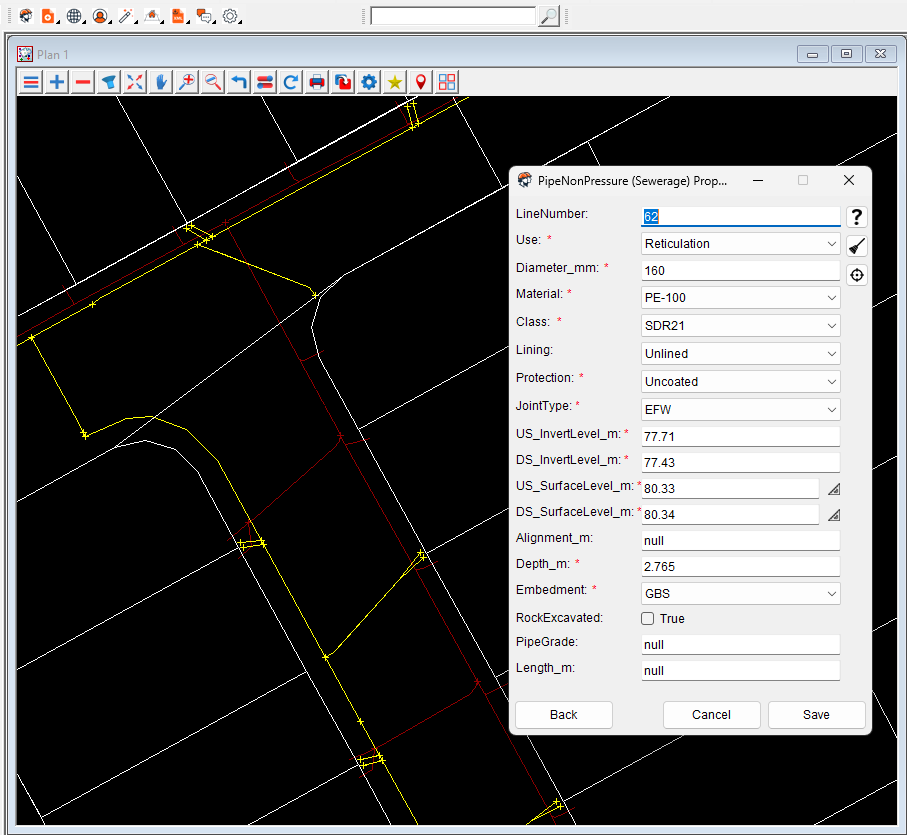
Create, edit and process assets with more control
Use improved asset creation, editing, searching, cloning and bulk processing tools while keeping the design visible in 12d Model.
- Improved standard and supplementary asset workflows
- Bulk tools for common asset groups
- Import, update and export ADAC XML
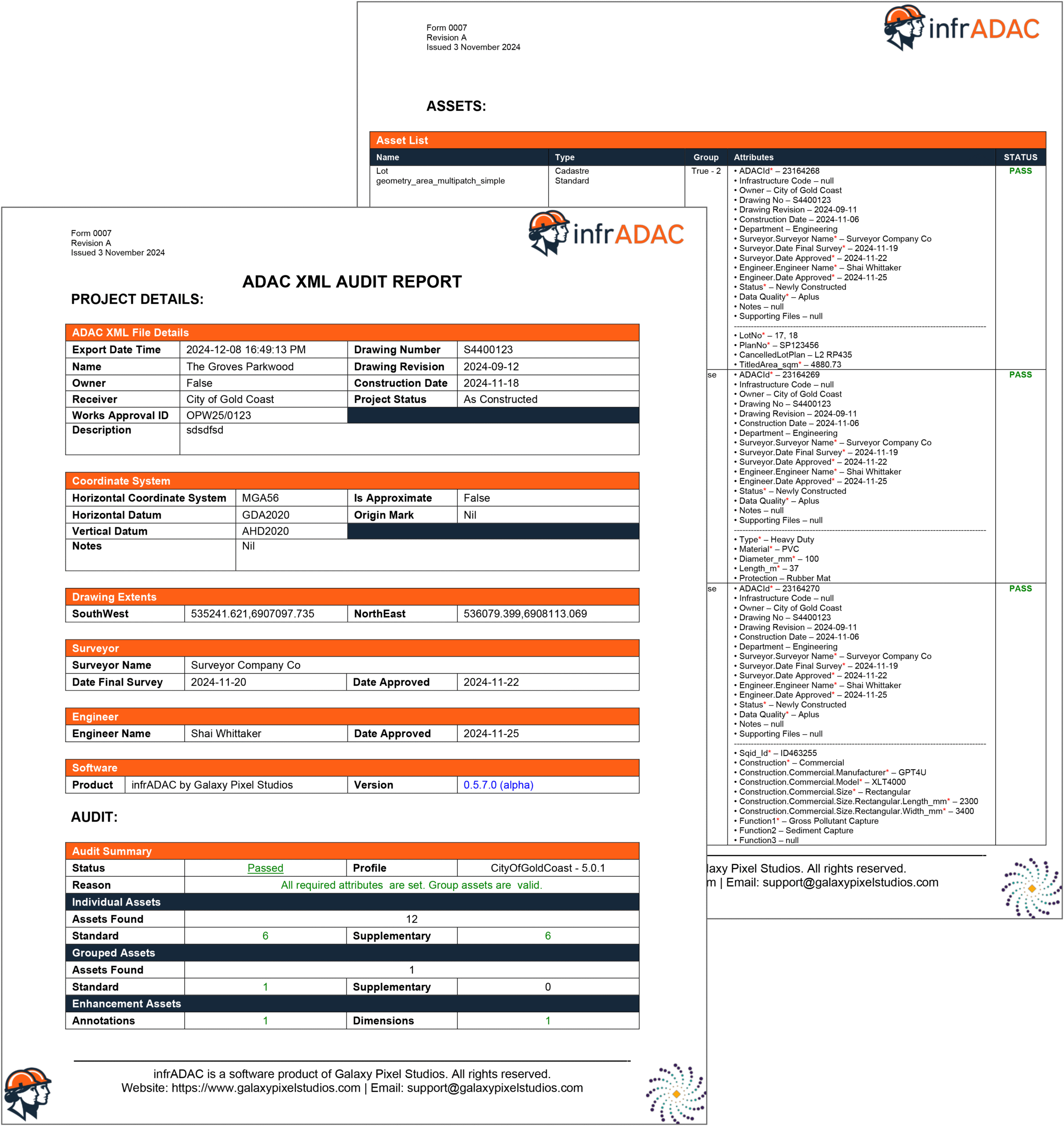
Audit and export the completed delivery
Run detailed checks across project information, asset data, geometry, schema requirements and receiver profile rules. Export the completed ADAC XML with a detailed DOCX audit report so both files can be reviewed and issued together.
- Schema, project, asset and receiver profile auditing
- Errors and warnings grouped for review
- ADAC XML export from the 12d Model workflow
- Detailed DOCX audit report generated with the export
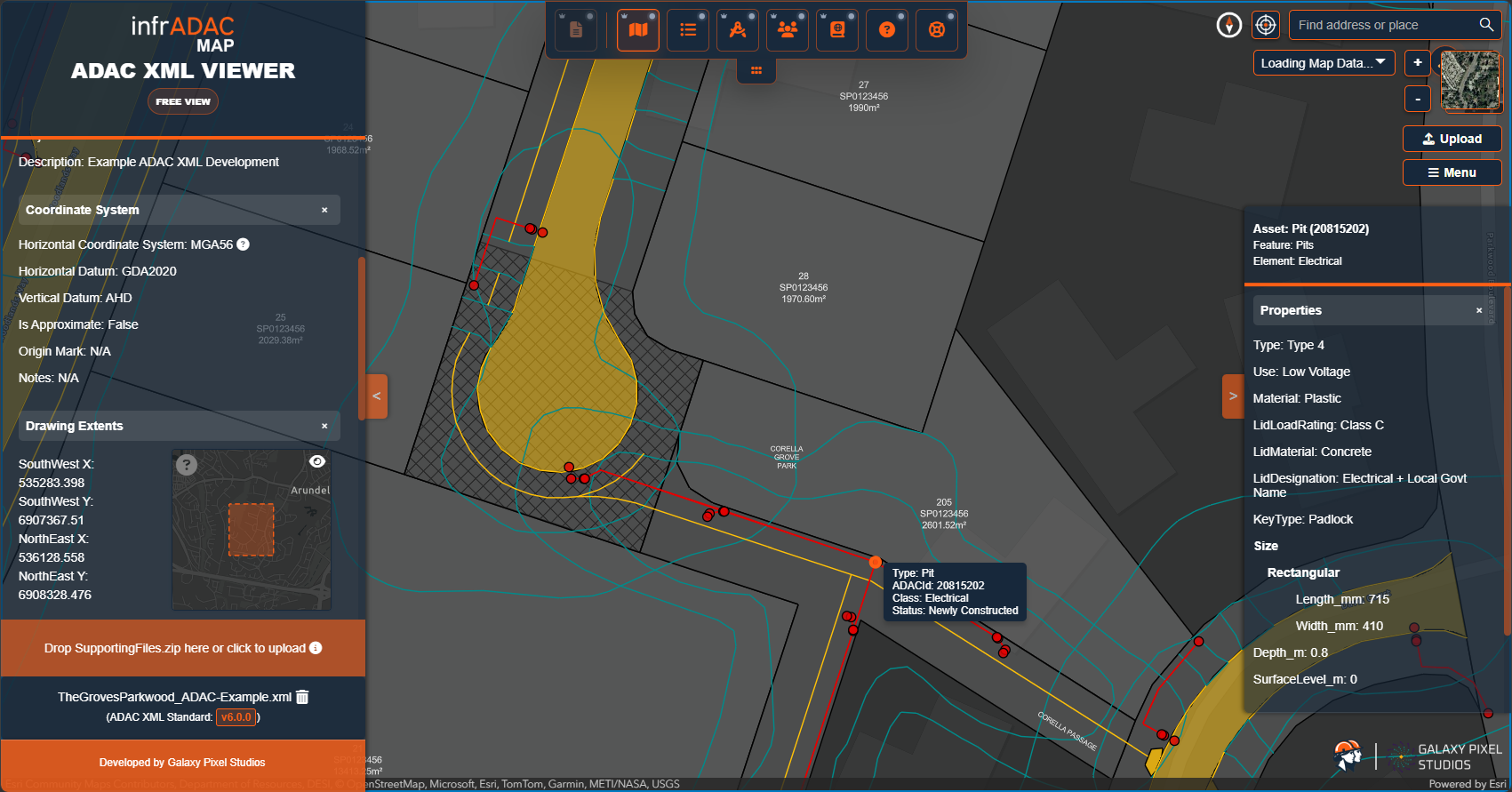
Review exported ADAC XML in infrADAC Map
Open the exported file in the browser for a clear visual review of geometry, assets and attributes. This gives project teams another way to inspect the completed delivery before it is issued.
- Browser based visual review
- Asset and attribute inspection
- Project level checks and mapping
Council and Utility profiles
Choose the receiver profile that matches the project. Profile updates are included with each purchased package.
SEQ Collection
All present and future South East Queensland Council and Utility profiles in one package.
 City of Gold Coast
 City of Ipswich
 City of Moreton Bay
 Logan City Council
 Noosa Shire Council
 Queensland Urban Utilities
 Sunshine Coast Council
 Unitywater
Standard profiles
Focused profiles for standard Council and Utility requirements.
 Bundaberg Regional CouncilCity of IpswichNoosa Shire Council
 Rockhampton Regional Council
 Whitsunday Regional CouncilUnitywaterQueensland Urban Utilities
 Shellharbour City Council
 Tweed Shire Council
Detailed profiles
Expanded receiver requirements with additional profile rules and asset detail.
City of Moreton BaySunshine Coast Council Wollondilly Shire Council
Complex profiles
Comprehensive profiles for authorities with complex supplementary assets and audit requirements.
City of Gold CoastLogan City Council Gladstone Regional Council
 Mackay Regional Council
Licence options
Choose the licence model that suits an individual workstation or a wider organisation.
Computer licence
Tied to a nominated computer for local use. Internet access is only needed for activation, updates and licence checks.
Floating licence
Check out a temporary signed licence and continue working offline until the checkout expires.
Floating Network
Use a local licence service to manage shared seats and active sessions across the organisation network.
Multiuser arrangements are available for organisations purchasing six or more seats. Contact us for team pricing and licence planning.
Start with infrADAC DCAD
Annual DCAD licensing includes the standard computer licence, product updates and support. Profile packages and flexible licence upgrades can be added to suit your team.

Documentation for every stage
The infrADAC Wiki includes the shared ACAD, BCAD and DCAD user manual, command reference, receiver pages, release history, installation guidance and direct access to the latest installer.